Category: WeAreEventworks Cases

  • Big on-sales: how a virtual queue keeps a ticket rush fair

    Big on-sales: how a virtual queue keeps a ticket rush fair

    When a big show goes on sale, demand doesn’t arrive in a steady stream. It arrives all at once. Thousands of fans open the shop in the same minute, and the first few minutes decide whether your on-sale feels fair or turns into a flood of complaints. A virtual queue is what keeps that minute under control. Here is what it does, and how to prepare for the rush.

    What goes wrong without a queue

    Picture every fan pressing “buy” at the same moment. Without a queue, they all reach the checkout together:

    • Pages slow down or fail to load, and fans start refreshing, which adds even more traffic.
    • Payments time out halfway through, so fans don’t know whether they have tickets or not.
    • Two fans can chase the same seat at once, and one of them loses it at the last step.
    • The complaints go public. Fans who waited for weeks share their frustration where everyone can see it.

    None of this is about how many tickets you have. It is about too many people arriving at the same door at the same time.

    What a virtual queue does

    A virtual queue sits in front of the checkout, like a well-run line outside a venue:

    • Everyone gets a fair place in line, in the order they arrived.
    • Fans are let through to the checkout in waves the system can handle comfortably, so everyone who reaches the checkout gets one that works.
    • Tickets are held properly while fans pay, so nobody is sold a seat that someone else already has.
    • The checkout stays fast for the whole rush, not just for the first few buyers.

    What it looks like at scale

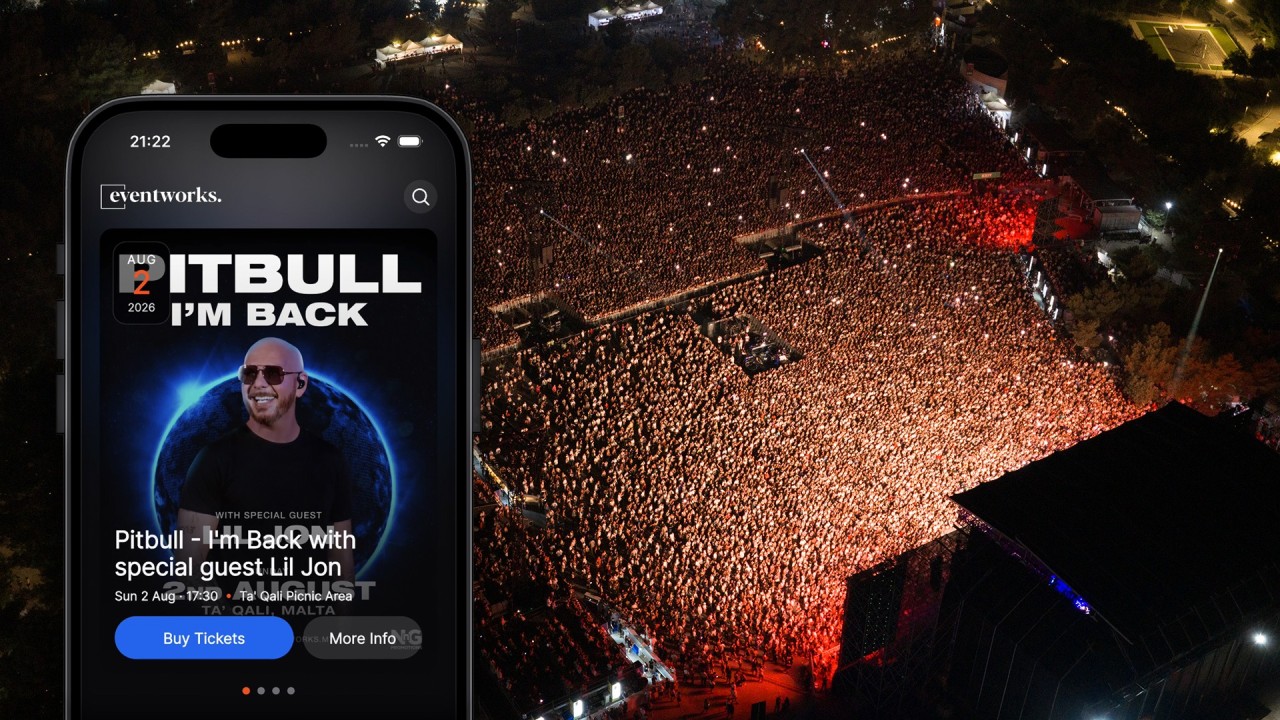
    When Pitbull and Lil Jon played Ta’ Qali, Eventworks put a virtual waiting room in front of the checkout. At its busiest, the queue held more than 16,000 people at once with no issues, and the first batch of 26,000 tickets sold out in under four hours, on the way to 40,000 fans on the night.

    Behind the queue, the platform ran with no single point of failure: databases that fail over automatically, and payments that route around a struggling provider in the middle of a sale. Read the full story.

    How to prepare for your on-sale

    A queue handles the rush. These steps make sure the rush goes where you want it:

    1. Announce the exact time. Tell fans the day and the minute tickets go on sale, and schedule the on-sale to that minute, so nobody gets an early start.
    2. Share one official link. Put it on your website, your social channels and your emails, and tell fans to buy only there. It protects them from fake links and resellers at inflated prices.
    3. Warm up your list. Email past ticket holders before the on-sale with the date, the time and the link. They are the fans most likely to be in the queue first.
    4. Plan your releases. Decide how many tickets go on sale in the first batch and what happens next: another release, a new tier or a waiting list for everyone who missed out.
    5. Put the shop on your own site. With the shop embedded in your website, fans buy from you, under your brand.
    6. Be ready to answer. Have your team on email and social during the sale to help with declined cards and questions. Quick answers stop worries turning into complaints.

    What to tell fans before the day

    A short message before the on-sale saves a lot of stress:

    • The on-sale time, and the one official link.
    • That there may be a queue, that places are given in order of arrival, and that refreshing or opening several tabs won’t help.
    • To have their card, Apple Pay or Google Pay ready.
    • That tickets arrive straight after payment, by email and in the Eventworks app.

    After the rush

    Once fans have paid, the work isn’t over. Tickets go out the moment payment clears, each one unique and hard to copy. Fans who bought for friends can pass each ticket to the right person, and the original stops working the moment it is transferred, so there is never a second copy in circulation.

    On your side, the dashboard shows sales as they happen, so you know exactly how fast each release sold. And organisers who pass standard KYC checks get their ticket money instantly, straight into their own account, or after each event or weekly if they prefer.

    Planning a big on-sale? Book a demo and we’ll walk through the launch with you.

  • Event marketing ideas that sell tickets

    Event marketing ideas that sell tickets

    Good events don’t sell themselves. The ones that sell out usually do a few simple things well: they start with the fans they already have, they give people a reason to buy now rather than later, and they measure what works so the next campaign is better. Here are twelve ideas you can use for your next event, in the order you’ll need them.

    Before tickets go on sale

    1. Start with the fans you already have. The people who came last time are the most likely to come again. With Eventworks, your attendee list is yours, and you can email an event’s attendees straight from the dashboard. Tell them first, before anyone else.

    2. Announce the on-sale time in advance. “Tickets on sale Friday at 10am” creates a moment people plan for. Schedule the on-sale to the minute, so it opens exactly when you said.

    3. Sell from your own website. Embed your shop on your own site with one line of code, in your colours and with your terms. Fans stay with you from the first click to the ticket, and every visit builds your brand, not someone else’s.

    4. Add tracking before you spend on ads. Add your Meta pixel and Google Tag Manager to your event and your shop. Then you can see which campaigns sell tickets, and show ads to people who visited but didn’t buy.

    While tickets are selling

    5. Price in tiers, starting with early birds. A small early bird allocation that sells out quickly is your first piece of news, and every tier that ends gives fans a reason to buy today. We explain how to set them up in Early bird tickets: how to price your festival tiers.

    6. Give promoters their own links. Promoters, clubs, venues and ambassadors can sell for you, each with their own link and commission per event or ticket type. You see exactly who is selling, and promoters can even sell through their own sub-resellers.

    7. Hand out codes with a purpose. A code for your sponsors’ staff, one for a partner’s newsletter, one for last year’s most loyal fans. Each code tells you which partnership worked.

    8. Time your news with your deadlines. Line-up announcements, a new stage, a special guest: land each one just before a tier ends, so the news and the reason to buy arrive together.

    9. Make it easy to come as a group. Group tickets, day tickets and VIP options give more people a way in. Friends who buy together also spread the word together.

    10. Sell the extras at checkout. Parking, merch, a drinks voucher or an upgrade: add-ons at checkout make the night easier for fans and raise what each order is worth.

    In the final weeks

    11. Don’t lose the fans who missed out. When a tier or a date sells out, a waiting list collects everyone who still wants in, ready for your next release or your next event.

    12. Remind, then thank. Email ticket holders before the event with the times, the entry details and anything they need to know, and invite them to bring a friend. After the event, thank them and tell them when the next one is. That email is the start of your next campaign.

    Measure, then repeat

    After every event, look at what sold and where the sales came from: which promoter, which code, which campaign, which day. Your reports show sales, page views, attendees and resellers, and everything exports to CSV. Keep what worked, drop what didn’t, and start the next campaign from there.

    See the marketing tools on our marketing and resellers page, or book a demo and we’ll plan your next on-sale with you.

  • Booking fees: who should pay, fans or you?

    Booking fees: who should pay, fans or you?

    Every paid ticket carries a fee. The question is who pays it: your fans, you, or both. It looks like a small setting, but it changes how your price reads on a poster, what you take home from each ticket and how fans feel at checkout. Here is how to choose.

    What the booking fee covers

    A booking fee pays for selling and delivering the ticket: the ticketing platform, the card payment and the bank costs behind it. With Eventworks it is one fee, 8% of each paid ticket, with every credit card charge, bank fee and VAT already included. There is no setup fee, no monthly fee and no contract, and free tickets are free.

    So the fee itself is fixed. What you decide is where it sits. You have three options.

    Option 1: pass it on to fans

    The fan pays your ticket price plus the fee. On a €30 ticket, the fan pays €32.40 and you receive the full €30.

    When it works: when your ticket price is the number you budget around. Every €30 ticket brings in exactly €30, so your forecasts stay simple, and a sell-out means exactly the income you planned.

    What to watch: show the fee early. A fan who sees €30 on your poster and €32.40 at checkout feels caught out, even when the fee is fair. Publish the price as “€30 + €2.40 booking fee”, or show the full €32.40 everywhere you mention it.

    Option 2: absorb it

    The fan pays exactly the price they see, and the fee comes out of your side. On a €30 ticket, the fan pays €30 and you receive €27.60.

    When it works: when the price on the poster has to be the price at checkout. That suits family and community events, events for students, and premium or hospitality packages where a clean, all-in price is part of what you are selling.

    What to watch: build the fee into your budget from the start. Work backwards from what you need per ticket: if you need to take home €30, divide by 0.92 and price the ticket at about €32.60, or round it to €32.50 or €33.

    Option 3: split it

    You and your fans share the fee equally. On a €30 ticket, the fan pays €31.20 and you receive €28.80.

    When it works: as a middle ground. The extra at checkout is smaller than when you pass the whole fee on, and you give up less per ticket than when you absorb it. It is also a gentle step if your fans are used to all-in prices and you want to move towards showing the fee.

    The three options side by side

    For a €30 ticket:

    Who pays the fee Fan pays You receive
    Fans (pass it on) €32.40 €30.00
    You (absorb it) €30.00 €27.60
    Split €31.20 €28.80

    Because card charges, bank fees and VAT are inside the 8%, these numbers are the whole story. Nothing else comes off later.

    How to choose

    Five questions settle it for most events:

    1. What do your fans expect? Look at how tickets for similar events near you are priced. If a fee at checkout is normal for your audience, passing it on will not surprise anyone. If the price on the poster is always the price paid, absorbing it avoids friction.
    2. Does the price need to be a round number? “€20” is easier to remember and to put on a poster. Pass the fee on and the checkout total becomes €21.60. If a round total matters to you, absorb the fee or set the price so the total lands where you want it.
    3. What do you need per ticket? Start from your costs and the income you need, then pick the option that gets you there at a price your fans will accept.
    4. Is it a package? VIP tables, hospitality and bundles usually read better as one all-in price.
    5. Are some tickets free? Free tickets carry no fee at all, whichever option you choose.

    Whatever you choose, be upfront

    Fans rarely mind a fair fee. What they mind is a surprise at the last step of checkout. Show the full price, or the price and the fee, on your posters, your social posts and your event page, so the total at checkout is the total they expected.

    Getting paid

    However the fee is split, the ticket money is yours. Organisers who pass standard KYC checks get it instantly, straight into their own account. If you prefer, we pay you after each event or every week.

    Try it with your own numbers

    The calculator on our pricing page shows what fans pay and what you receive for any ticket price and number of tickets, with a switch for fans, you or split.

    Want to see it on your own event? Book a demo, or get a demo account and try it yourself.

  • Early bird tickets: how to price your festival tiers

    Early bird tickets: how to price your festival tiers

    Most festivals don’t sell steadily. A rush when tickets go on sale, a long quiet middle, then a scramble in the last weeks. Tiered pricing, starting with early bird tickets, evens that out: fans get a reason to buy now, and you get money in early, when deposits and artist fees fall due. Here is how to set your tiers up.

    Why tiers work

    • Early money. Sales months before the gates open help pay for the stage, the artists and the site long before the weekend.
    • A reason to buy today. Every tier that ends is a price rise fans can see coming. “Tier 1 ends on Friday” sells more tickets than “tickets available”.
    • An early read on demand. How fast each tier sells tells you whether to add capacity, spend more on marketing, or hold your nerve.

    How many tiers

    Three or four works for most festivals:

    1. Early bird: your lowest price, for your most loyal fans.
    2. Tier 1 and Tier 2: the bulk of your sales.
    3. Final release: the highest price, for the last tickets and the late deciders.

    More tiers mean smaller steps and more moments to announce, but also more to manage and explain. Fewer tiers make each step bigger.

    How big each tier should be

    Keep the early bird small enough to sell out quickly. A sold-out tier is news: it is your first announcement, and it tells everyone who waited that prices only go up from here. Put most of your capacity in the middle tiers, and keep a final release for the end.

    Here is a worked example for a 5,000-capacity festival:

    Tier Tickets Price
    Early bird 500 €45
    Tier 1 1,500 €55
    Tier 2 2,000 €65
    Final release 1,000 €75

    Sold out, that is €310,000 in ticket sales, with the average ticket at €62.

    How far apart to price

    Make each step big enough to matter and small enough not to put people off. In the example above, each tier is €10 more than the last: enough to make “buy before Friday” worth listening to, without making a later ticket feel like a penalty. Look at your own audience and your final price, and work back from there.

    When to move on: a sell-out or a date

    A tier can end in two ways:

    • When it sells out. Simple and honest: once the allocation is gone, the next tier is the price.
    • On a date. Useful to create a deadline, for example the day you announce your headliner.

    Many festivals use both: a tier ends on its date, or earlier if it sells out first.

    With Eventworks, you set up each tier as its own ticket type with its own number of tickets, and schedule each on-sale to the minute. Fans who miss a tier can join the waiting list, so you have everyone ready for the next release.

    Avoid the flat middle

    The weeks between the early bird and the final release are where festivals stall. Plan something for every tier change:

    • Line-up news: time each announcement with a tier ending, so the news and the deadline land together.
    • Email your attendees: past and current ticket holders are the fans most likely to buy again. Email them straight from the dashboard when a tier is about to end.
    • Promoters: give each promoter their own link, with commission per event or ticket type, and see who is selling.
    • Codes: coupons for partners, sponsors and early fans.
    • Ads that measure: add your Meta pixel and Google Tag Manager to your shop, so you can see which campaigns sell tickets.

    Other ticket types worth adding

    • Day tickets alongside the full weekend, for fans who can only make one day.
    • Group tickets for friends buying together.
    • VIP with its own entrance, viewing area or extras.
    • Add-ons at checkout: camping, parking, merch or a festival cup.

    Who pays the fee on an early bird?

    Your early bird price is your headline number, so think about how it reads. With Eventworks there is one fee, 8% of each paid ticket with every card charge, bank fee and VAT included, and you choose who pays it: pass it to fans, absorb it or split it. Absorbing it on the early bird keeps that headline price clean. We explain the three options in Booking fees: who should pay, fans or you?

    Watch sales as they happen

    The live dashboard shows sales for every ticket type as they happen, and reports break sales down by ticket type and reseller. If a tier sells out in hours, you know you have room to move prices up. If it stalls, you know it is time for your next announcement.

    See how festivals and club nights run on Eventworks on our festivals and nightlife page, or book a demo and we’ll set up your tiers with you.

  • How to run event check-in without queues

    How to run event check-in without queues

    Before the first song, speech or game, fans meet your door. A quick, calm entry sets the mood for the whole night; a long queue in the cold does the opposite, and a crush at the gate is a safety problem. Here is how to plan check-in so everyone gets in quickly and safely.

    Plan for the peak, not the average

    Fans don’t arrive evenly. Most turn up in a short window: when doors open, just before the headliner or right before the start. So work out your busiest minute, not your average one.

    The numbers from a real show make the point. When 40,000 fans came to see Pitbull at Ta’ Qali, scanning averaged 207 scans a minute across the site, and the busiest single minute admitted 838 people: four times the average. Entry that copes with the average will still queue at the peak.

    To size your entrances:

    1. Estimate your peak arrivals per minute. Past events, the timings on your tickets and when your public transport arrives all help.
    2. Time one lane. At a smaller event or a rehearsal, count how many fans one steward scans in a minute, with phones out and bags checked.
    3. Divide, then add a spare. Peak arrivals divided by one lane’s speed gives the lanes you need. Add at least one spare for a problem ticket or a steward’s break.

    Scan on phones your team already has

    Entry doesn’t need special hardware. With Eventworks, every steward installs the Eventworks scanner app on a phone and scans tickets, passes and access cards straight away. For your busiest entrances, dedicated laser scanners are available to rent, and venues with turnstiles can connect entry to their gates, so tickets and access cards open the turnstiles.

    Keep scanning when the Wi-Fi drops

    A big crowd can overload the mobile network just when you need it most. Make sure your scanning doesn’t depend on it.

    Eventworks scanning works offline. Each ticket is checked on the phone itself, and everything syncs when the connection comes back. Tickets aren’t preloaded onto the devices, so a ticket bought an hour before doors still opens the door.

    Stop copied tickets at the gate

    A screenshot of a ticket looks exactly like the real thing. What matters is that it can only get in once. Each Eventworks ticket is refused if it has already been scanned, and every scan is on record with the reason a ticket was refused: already in, wrong day or not valid. Your stewards see the answer in a fraction of a second and can send the fan to the help point instead of arguing at the lane.

    Brief the people on the door

    Your stewards are the face of your event. Before doors:

    • Give everyone the right access. Door Manager and Scanner roles show staff only what they need.
    • Explain what each result means. Valid, already in, wrong day: and what to do for each.
    • Set up a help point. Fans who can’t find their ticket shouldn’t hold up a lane. Someone with access to orders at the help point can find the order and resend the ticket by email or WhatsApp.
    • Test every device days before. Log in, scan a test ticket and check the result on every phone, with time to swap any that don’t work.
    • Bring power. Charged phones and a power bank per lane.

    Handle guests and walk-ups without clipboards

    Guest lists and door sales are where queues often start.

    • Guest lists: add guests one by one or import a spreadsheet, then check them in like any other ticket. No printed list, no crossing out names.
    • Box office: sell at the door from the same ticket stock as your online shop, cash or card, so you never sell a place twice.

    Watch arrivals live and move your team

    Live check-in shows arrivals by ticket type and show as they happen. If one entrance backs up while another is quiet, you see it in time to move stewards or open another lane.

    At the Pitbull show, the live numbers gave the organisers, the performers’ team and the safety officers a headcount for every area of the venue at once, and the crew opened extra lanes and moved queuing barriers whenever a zone filled faster than planned. Read the full story.

    Your door checklist

    • Estimate your peak arrivals per minute.
    • Time one lane, then plan lanes for the peak, plus a spare.
    • Install the scanner app and give each steward the right role.
    • Test every device days before the event.
    • Charge phones and bring power banks.
    • Import your guest lists.
    • Set up box office sales on the same stock.
    • Brief stewards on each scan result and the help point.
    • Open doors early enough for the peak.
    • Watch arrivals live and move your team as queues build.

    See everything the door can do on our entry page, or book a demo and we’ll walk through the entry plan for your next event.

  • The Engineering Behind Tickets for the Biggest Crowd of the Year

    The Engineering Behind Tickets for the Biggest Crowd of the Year

    How Eventworks sold and delivered the tickets for Pitbull’s, I’m Back Tour at Ta’ Qali, and got every fan safely through the gates.

    When Pitbull and Lil Jon took the stage at Ta’ Qali, the crowd got the lights, the fireworks, the sound and one of the biggest nights Malta has hosted all year. What they didn’t see was the ticketing operation behind it: the weeks of architecture, load modelling and rehearsal that went into selling 40,000 tickets and getting every fan scanned safely through the gates. As Eventworks, the ticketing and access partner behind the show, here’s our launch log, from the first planning session weeks out, to the on-sale, to the night itself. The parts nobody notices are the parts we engineered hardest.

    Weeks out: mapping the mission

    For Eventworks, the build started the moment the show was confirmed. We modelled the venue as a set of zones and price tiers, forecast the demand curve, and load-tested our platform against it. A headliner this size doesn’t sell in a steady stream. It lands as a single vertical spike, thousands of concurrent sessions in the same minute. So we provisioned for a peak well above the ticket count, auto-scaled our infrastructure to meet it, then added headroom on top. Capacity you never use is capacity that saves the launch.

    The on-sale: surviving the spike

    The on-sale was our launch window, and it was unforgiving. We put a virtual waiting room in front of the checkout. Rather than tens of thousands hammering the same endpoint, every fan was assigned a fair, ordered position and released to the payment flow in controlled waves. That throttle shielded the inventory and payment layers from a thundering-herd overload, eliminated oversells and race conditions on the same seat, and kept latency flat while the queue drained. At its busiest, the queue held over 16,000 people at once with no issues, and the first batch of 26,000 tickets sold out in under four hours.

    Underneath it ran a fully redundant stack: databases with automatic failover, payment routing that reroutes around a struggling provider mid-transaction, and real-time telemetry watching every node. There was no single point of failure that could take the sale down. If a component wobbled, traffic was already flowing around it before a customer ever noticed.

    Getting the ticket to the fan, securely

    The instant a payment cleared, the buyer received a unique, securely encoded ticket, delivered straight to their email and the Eventworks app, and built to be effectively impossible to fake or copy for resale. And because many fans buy a batch of tickets for themselves and their friends, the app gives them a 100% secure way to transfer each ticket to the friend it’s for: on transfer, the original credential is instantly voided and destroyed, and a brand-new, equivalent ticket is minted for the recipient. There is never a moment where two valid copies exist, which shuts down the screenshot-and-forward scams that plague ordinary PDF tickets. Throughout the sale window our support team ran live across email and social, clearing declines, name changes and edge cases in minutes.

    Show week: arming the gates

    Show week moved the operation to the perimeter. Every scanning device was provisioned, numbered and put through a full end-to-end test days before doors opened, leaving time to swap or reconfigure anything that didn’t pass. Just as important, every member of the scanning team was briefed in detail, so they weren’t just scanning tickets but acting as technically-briefed helpers, ready to help fans locate their ticket and get through the gate whenever needed. Our method deliberately does not preload tickets onto the devices, because if it did, tickets sold or transferred live during the event wouldn’t be accepted at the gate. Instead, our proprietary Eventworks authentication engine cryptographically validates each ticket on the device itself, so the gates kept scanning at full speed even with zero connectivity. No dead zone, weak or dropped 5G signal or overloaded network could stall entry, and everything reconciled automatically the moment the link returned.

    Showtime: the crowd in motion

    At doors, each ticket was verified in a fraction of a second and instantly burned, so a copied or already-used ticket simply wouldn’t open the gate a second time. And the scan was more than an access check. It was a live data feed. Reporting streamed in real time throughout the event, giving organisers, the performers’ team and health-and-safety officials an accurate, live headcount for every single area of the venue at once. If a zone filled faster than planned, everyone saw it the moment it happened, and our on-site crew, working the gates alongside the venue team, opened extra lanes or readjusted the queuing barriers to keep the crowd moving and avoid slow queues. During entry, scanning averaged 207 scans per minute, with 838 people admitted in the single busiest minute, and the systems coped perfectly.

    After the encore: the data

    From the first fan through the gate, the Eventworks dashboards were already tracking the numbers live. Once the show was over, all of that turned into a full post-event report: how fast tickets sold, how many fans were scanned in and how quickly, how many no-shows there were, and how smoothly the crowd moved through each entrance, zone by zone. It’s exactly the kind of data that helps promoters price, plan and market the next launch even sharper.

    A night this big only feels effortless because everything underneath it is engineered not to be.

    From the first ticket to the final scan, Eventworks builds the technology that puts Malta’s biggest events on sale and gets the crowd safely through the gates. We also work alongside organisers as partners, advising on the ticketing strategy, pricing structure and gate-management decisions that make the difference on the day. If you’re planning an event, from an arena headliner to an intimate night, we’d love to show you how we can handle your ticket selling and all the logistics around it.

    Get in touch with the Eventworks team through [email protected] to find out more.